Tandem
How it works
1
Pick what to lock
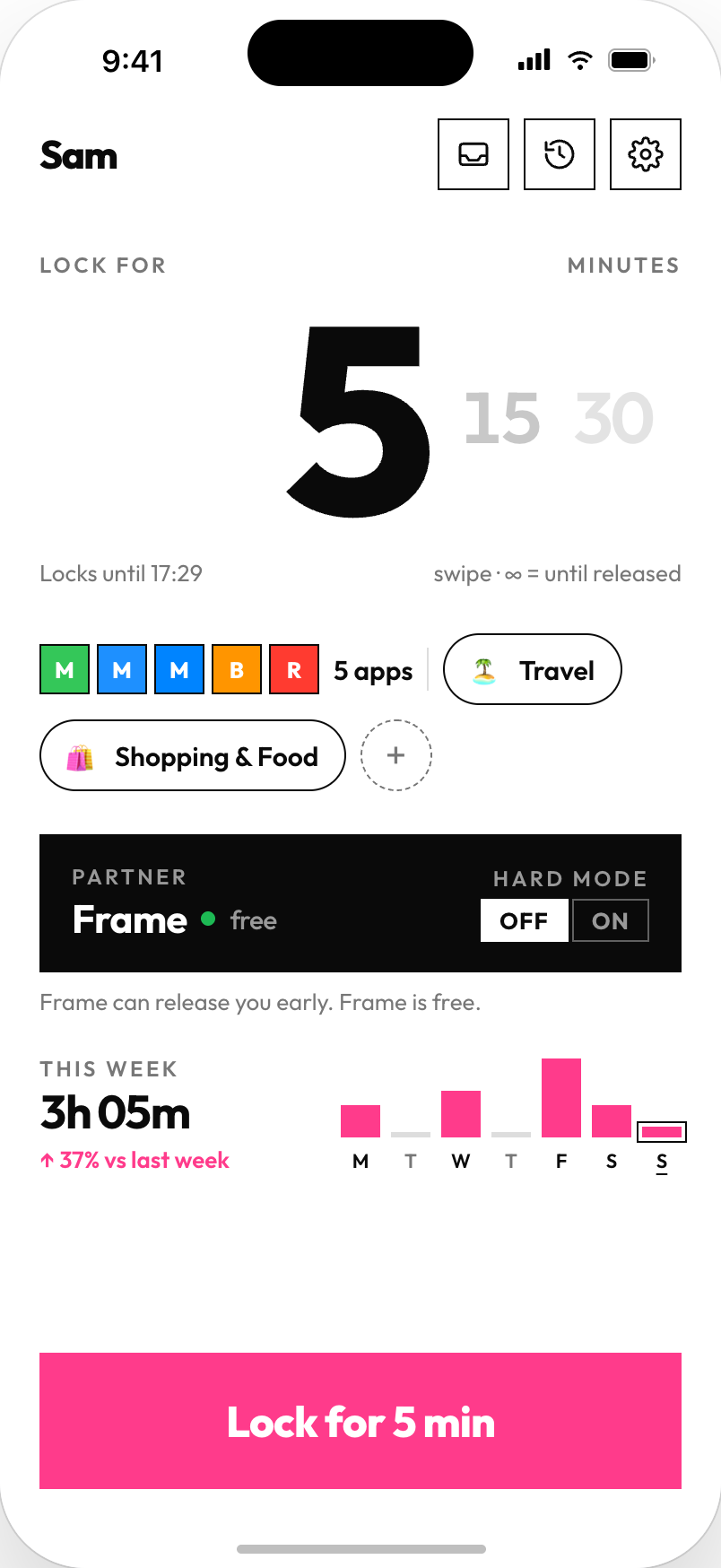
Apps, categories or websites from Apple's Screen Time picker. Tandem never sees a list, only opaque tokens.
2
Choose exactly how long
Use a quick preset or set custom whole hours and minutes, up to 24 hours. Then lock and let iPhone's Screen Time shield your choices.
3
Pair only if it helps
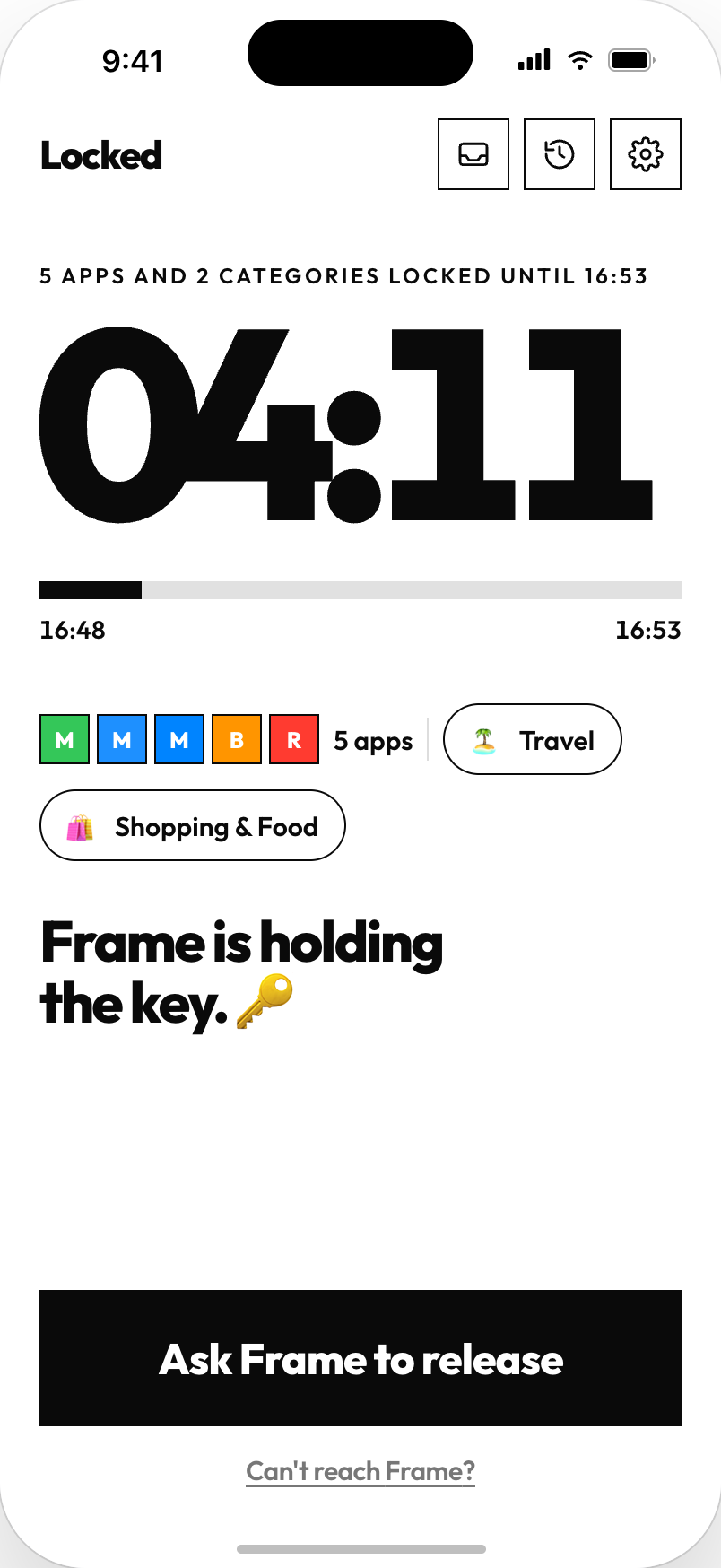
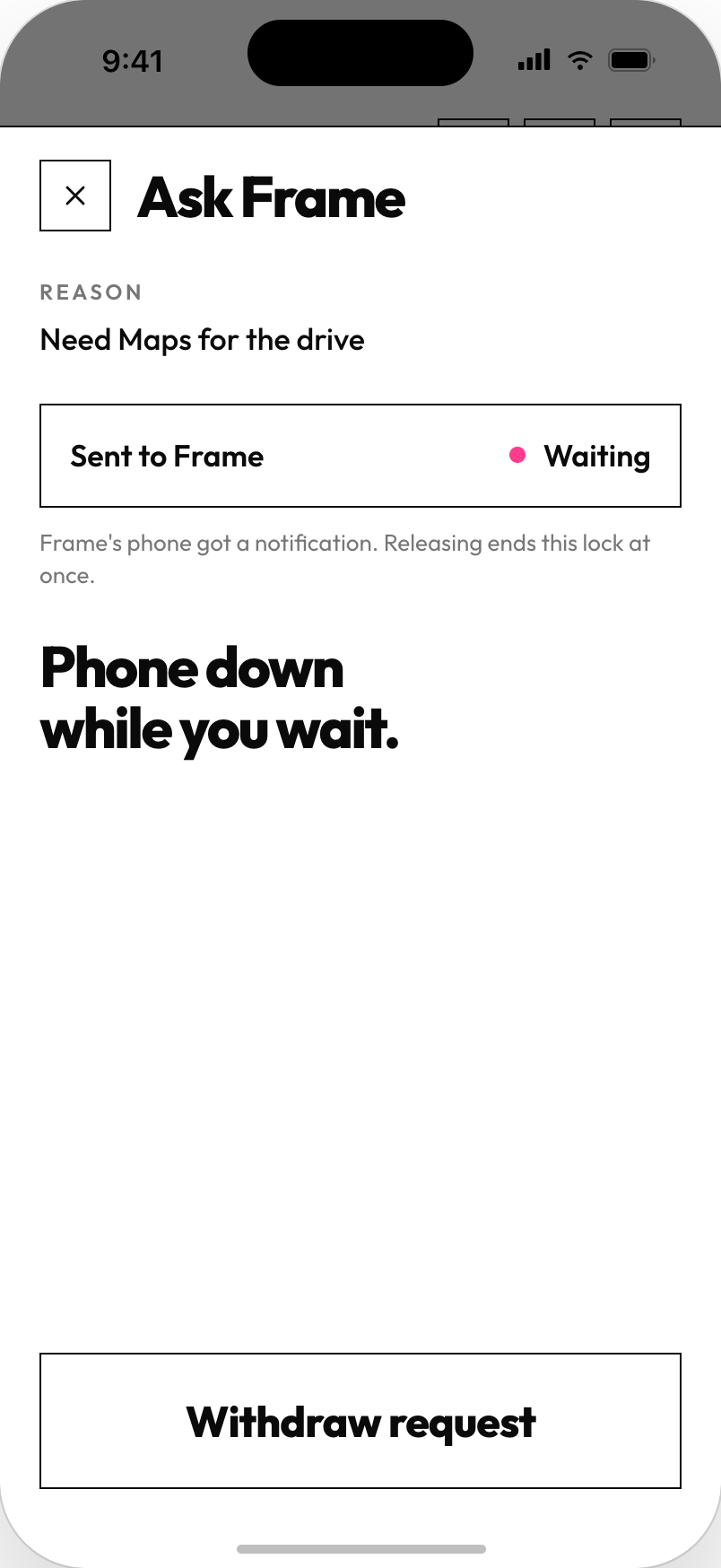
Tandem works without a partner. Optionally pair with someone you trust, then ask them to approve an early release when you need one.
Optional accountability
Your partner holds the key.
You hold theirs.
Pair two iPhones if you both want accountability. Either of you can approve the other's early-release request; neither can approve their own.
Join the beta
Install. Try a lock.
Tell us what happened.
1 · Open TestFlight
On your iPhone, follow the link and let TestFlight guide the install.
2 · Allow Screen Time
Tandem needs Apple's Screen Time permission to shield the distractions you select.
3 · Share beta feedback
This is pre-release software, so bugs and rough edges are possible. Tell us what worked or got in the way.
Download the betaiPhone · iOS 17 or later · TestFlight required
Private by construction
No account. No analytics.
Your distraction choices and history stay on your phone. If you pair, requests travel between the two phones through iCloud. Tandem has no developer-run server for your app data. Read the privacy policy.